Weft BYO · Beta

Bring your
own Pi.

Weft on a Raspberry Pi 5 you set up yourself, with the same app, integrations and automations as Weft Core. For people who build their own.

Book a call with Alex

$390 $490 once, per vehicle, during the beta · no subscription

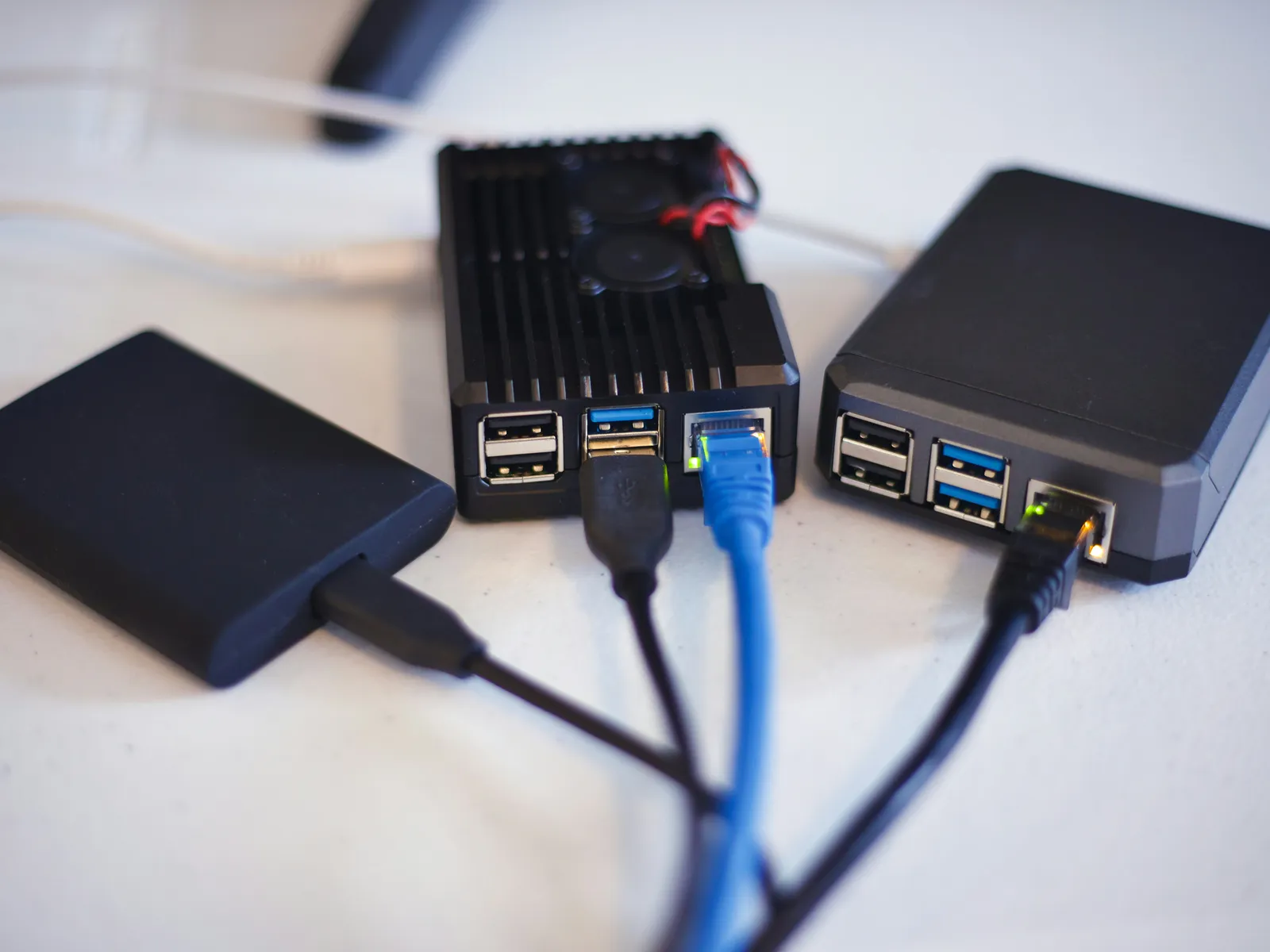
Two Raspberry Pi computers in black cases on a white table, with a portable drive, network and other cables plugged in and their lights on
The kit
  1. Raspberry Pi 54 GB +
  2. High-endurance card32 GB +
  3. Internetfor away
  4. An SSDoptional
How it fits

Same Weft.
Your computer.

You get everything Weft Core has, on board, with or without signal. Connect your equipment over Bluetooth or your network, or plug it into the Pi.

In the vehicle

  • Bluetooth equipmentBattery, solar and more
  • Your networkCameras, router, Starlink
  • Plugged into the PiAn SSD for recording, GPS
  • The wired bus and relaysWeft Core only
Raspberry Pi 5 Weft, on your Pi

Every integration, modes, automations, alerts and the assistant, on board and without signal.

How you reach it

The Weft app

iPhone, iPad and Apple Watch, over the vehicle’s Wi‑Fi.

Remote access

From anywhere, through the vehicle’s internet. A year included.

Updates

New versions of Weft, whenever the vehicle is online.

Not sure what your equipment uses? Scan your vehicle with the Weft app before you buy anything, and see what Weft will run in it.

You bring

The hardware,
your way.

Use a Pi you already have, or buy the parts wherever you like.

  • Raspberry Pi 5

    With 4 GB or more.

  • High-endurance card

    32 GB or more, made for constant writing. Ordinary cards wear out.

  • Internet

    A router or a hotspot, for remote access and updates.

  • An SSD and GPS Optional

    An SSD for Camera Recording, and a GPS receiver for location and trips.

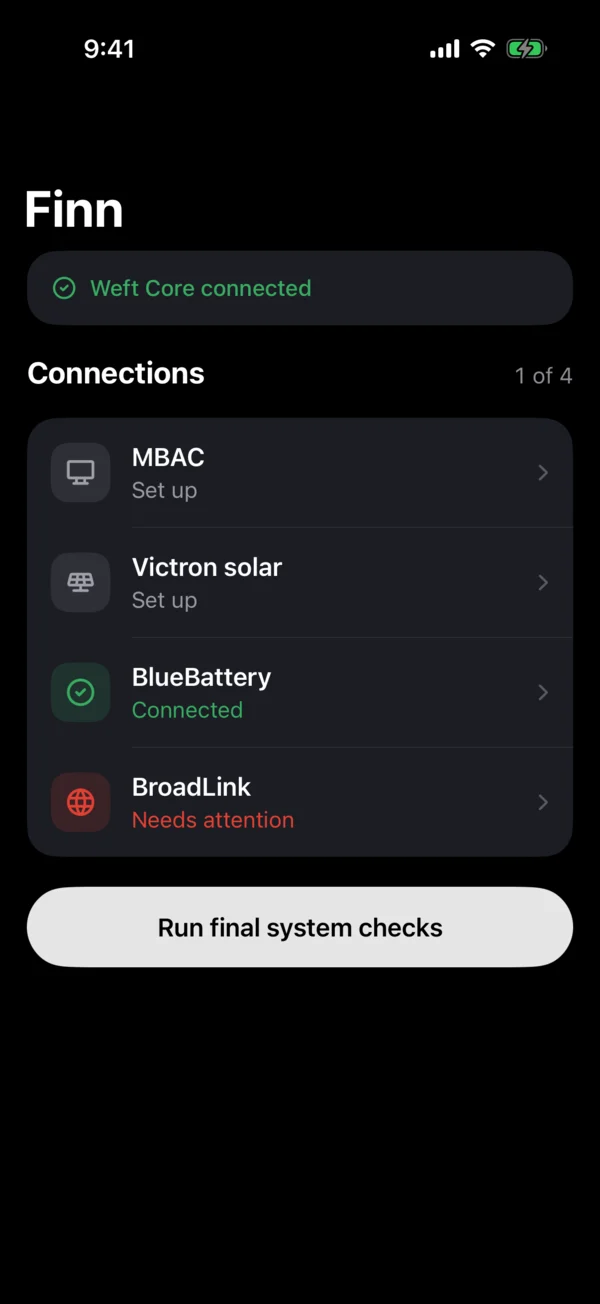
Builder mode in the Weft app, setting up Finn: Weft Core connected, and MBAC, Victron solar, BlueBattery and BroadLink each with its status
How it works

Four steps, one app.

  1. Get your licence

    Pay once for your vehicle. It’s yours, with every update.

  2. Write the card

    Download Weft and write it to the card with Raspberry Pi Imager.

  3. Pair it

    Power up the Pi in your vehicle and pair it in the Weft app.

  4. Add your systems

    Add each system and watch it come online. Then the whole vehicle is in one app.

BYO or Weft Core

Same Weft.
Choose your box.

With Weft Core you also get mobile service, GPS and wired connections, a three-year warranty and our help. If you move to it within a year, we take what you paid for BYO off its price.

Weft BYO

$390 $490

Once, plus the parts

Away from the vehicle
Only while the vehicle has its own internet
Location and trips
With a GPS receiver you add
Wired systems
Not included
Power
Through a converter you fit
If something breaks
Your hardware’s own warranty; you replace the parts
Help
Our knowledge base and the Weft assistant, then us by email

Five years, all inabout $650$966 with remote access every year

Weft Core

$1,490

Three years of Weft Connect included

Away from the vehicle
Built-in mobile service, wherever there’s coverage
Location and trips
Built-in GPS
Wired systems
Two bus ports, four inputs, four outputs
Power
Straight from the 12 V or 24 V house battery
If something breaks
Three-year warranty, with your setup restored
Help
Your builder, and us

Five years, all in$1,688See Weft Core

Coming from Home Assistant

Tired of tinkering with
your dashboards?

Weft is designed from the ground up for life in a vehicle. Everything runs on board, with or without signal.

  • DesignMade for a vehicle

    Every screen is designed for life on the road, on iPhone, iPad and Apple Watch. There’s nothing to lay out.

  • SetupNo tinkering

    Pair each system in the Weft app, and you’re done. No YAML, dashboards or add-ons to keep working.

  • IntegrationsYour van’s equipment

    Integrations for the equipment vehicles actually have, built and tested in real vehicles.

  • AlertsOn your phone

    Alerts that know your vehicle, like the battery draining faster than usual or frost tonight, with nothing to set up.

  • Apple HomeBeyond the app

    Use Siri, the Home app and a home-screen widget for lights, Away and heating.

  • UpdatesBetter every update

    You get every update automatically. When we improve an integration for one vehicle, you get it too.

Weft BYO

Your whole vehicle,
in one app.

See how long the battery will last, turn the heating on before you’re back, and check the cameras while you’re out. On a Pi you set up yourself.

Book a call with Alex

Beta: $390 instead of $490, a full licence that stays valid after the beta. For help, use our knowledge base and the Weft assistant, and write to us if you’re stuck.

Good to know

Anything else? Write to [email protected].

Do I need a subscription?

No. You pay once for the vehicle, and everything on board keeps working. Remote access is the only thing that renews: the first year is included, then it’s $79 a year if you want it.

What’s included?

The Weft app on iPhone, iPad and Apple Watch, every integration, modes and automations, alerts and the assistant on board, Camera Recording on an SSD you add, software updates, and the first year of remote access.

Will it work with my systems?

Scan your vehicle with the Weft app before you buy anything, and see what Weft will run in it. For systems on the vehicle’s wired bus, switches and relays, you need Weft Core.

How many vehicles does a licence cover?

One vehicle, with one Pi running Weft at a time. If your Pi or its card fails, move the licence to the replacement.

Can I move to Weft Core later?

Yes. If you move to Weft Core within a year of buying your licence, we take what you paid for it off the Core’s price.

What if it doesn’t work on my hardware?

Write to [email protected] and we’ll look at it with you. In the EU you can also withdraw within 14 days of buying, until you start the download. The details are in the terms.

Can I buy it in the Weft app?

No, only here on weft.systems.