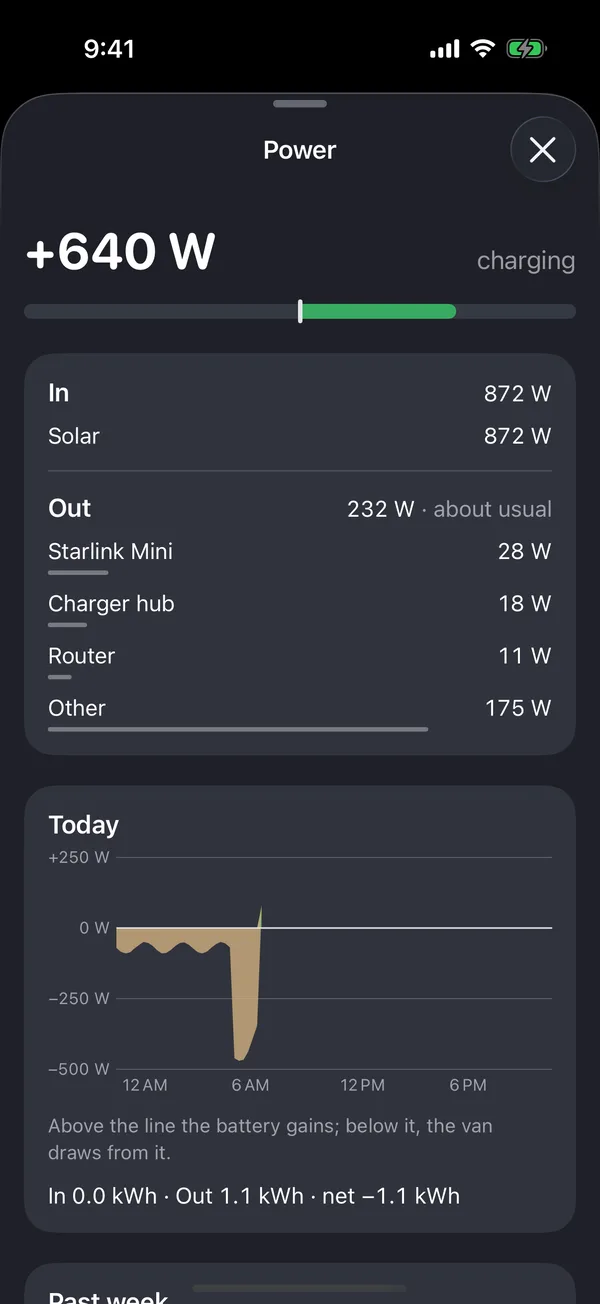
Every watt in and out.
What's coming in, what each device draws, and how today has gone, at a glance.
What the vehicle is doing, every control, modes, cameras and the weather ahead. Inside the vehicle, next to it or from the other side of the world, with no router to set up.
iPhone and iPad · English, German, Italian and Spanish
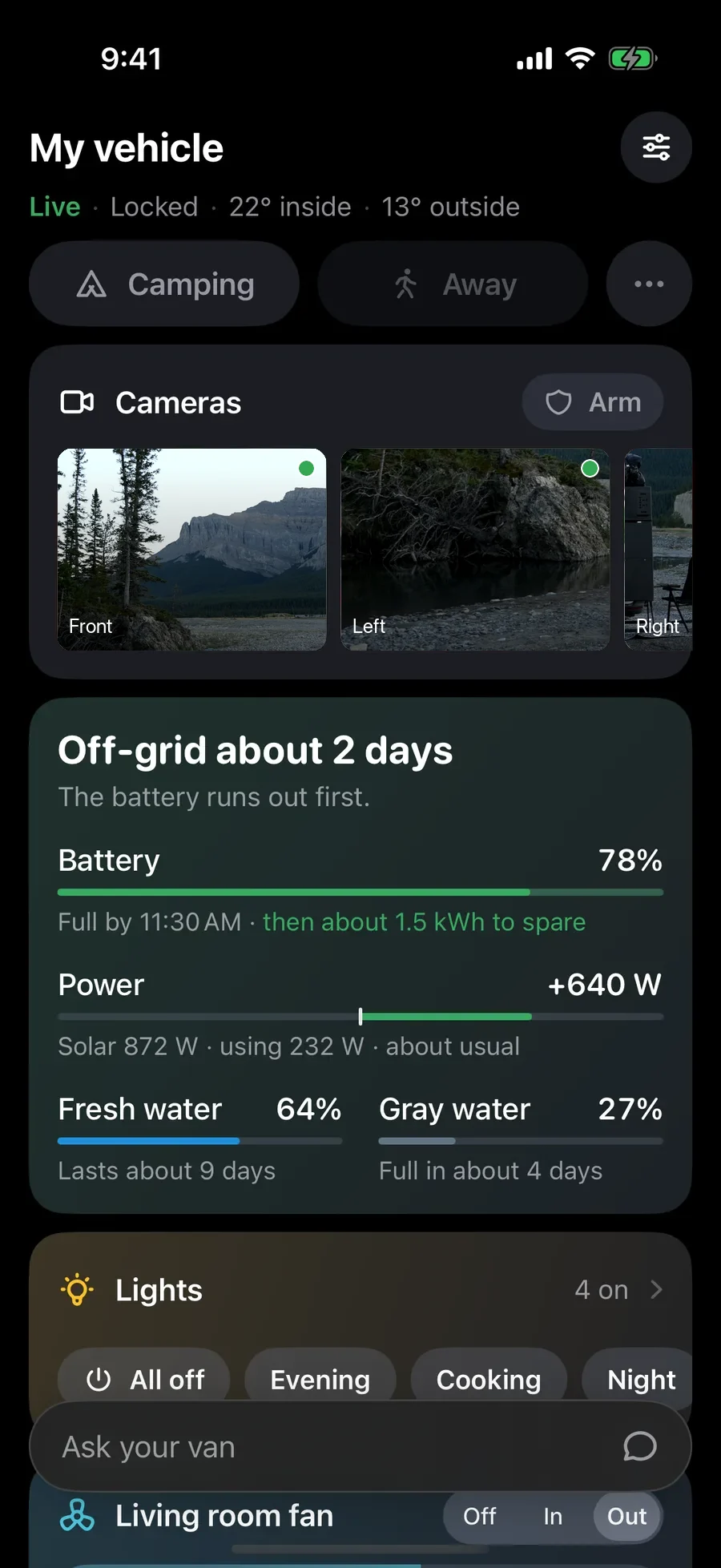
Battery, solar, water, internet, temperatures and the weather on Home, with the controls you use most right underneath.
Set the whole vehicle up for what you're doing in one tap. Camping keeps the outdoor controls and the three-day outlook at hand.
The temperature you want, the water heater and its schedule, in one place.
Every camera side by side, or full screen. Person and loitering detection on every Core. With Camera Recording, a dashcam while driving and recordings you can play back.
Every light where it is in the vehicle, dimmable, with Quick scenes for the evening, cooking and night. Star ceilings too.
The house battery at arrival, whether it's full before you get there, days off-grid at your destination and the weather along the way.
Answers from your actual build, its manuals and what the vehicle is doing right now.
What used the battery, what filled it, and how many days you have left, in numbers you can act on.
The last 24 hours or 7 days: what each device used and its share, and what came in from solar, the alternator and shore power. Tap a device to see its day hour by hour.
As on your iPhone. It shows exactly what it turns off, and turns it all back on when the battery reaches the level you choose.
The battery at the end of each day, from your usual use and the solar forecast, and how many days the water lasts.
When the battery will be full, how it looks at sunset, and the next three days of sun. Portable panels count while they're out.
Its real capacity and cycles, worked out from how you've actually used it, even when the battery can't say.
Switch the charger to its quiet setting for the night, where the charger supports it.
Weft learns how your vehicle normally behaves, tells you in hours and days how long things last, and keeps watch while you're away.
The battery draining faster than usual, an overnight drain that names the circuit, frost risk tonight, or doors left unlocked at bedtime. They clear themselves when the problem is gone.
Put the vehicle into storage with a guided checklist. Choose Keep Weft watching, and you hear about frost, a shore power drop or a low battery while comfort is paused.
Your private route history, with legs you can group into one trip.
Battery, solar, water and use over the life of the vehicle, backed up every night, encrypted and stored in the EU.
Your cameras and the vehicle's sensors, watched together inside the vehicle. Leave for the day, and the vehicle watches itself.
Lock up and walk away, and Away arms and starts the cameras. Come back with your phone, and it steps aside. Anyone else, and you hear about it.
Someone walking past is ignored. Someone who lingers is not, and doors, motion and cameras decide together, so false alarms stay rare.
When you're boondocking, it alerts you if someone lingers outside, or if the vehicle is tilted or moved. It ends at sunrise.
Pets stay inside without setting off presence or motion alerts.
Recording around the clock, a dashcam while you drive, and playback in the app from anywhere.
Footage is recorded and checked inside the vehicle, and only you can reach it.
Real screens from the Weft app.
What's coming in, what each device draws, and how today has gone, at a glance.
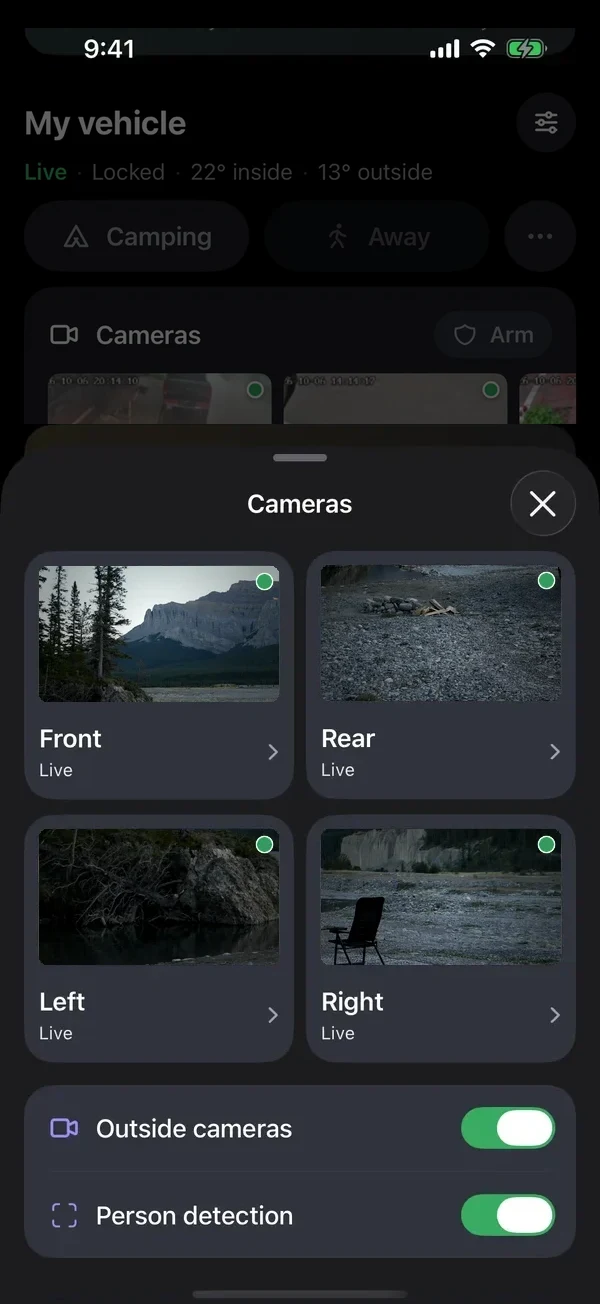
All four views side by side, near-instantly, from anywhere. Detection on every Core, and recordings with Camera Recording.
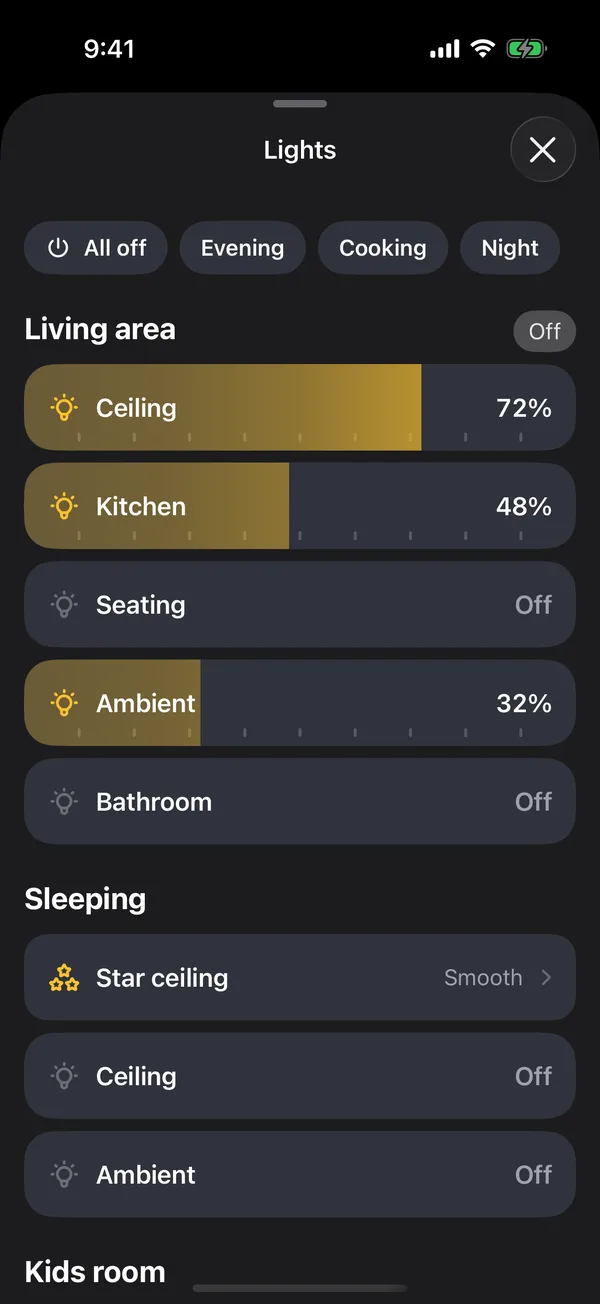
Quick scenes for the evening, cooking and night at the top, then each light where it is in the vehicle.
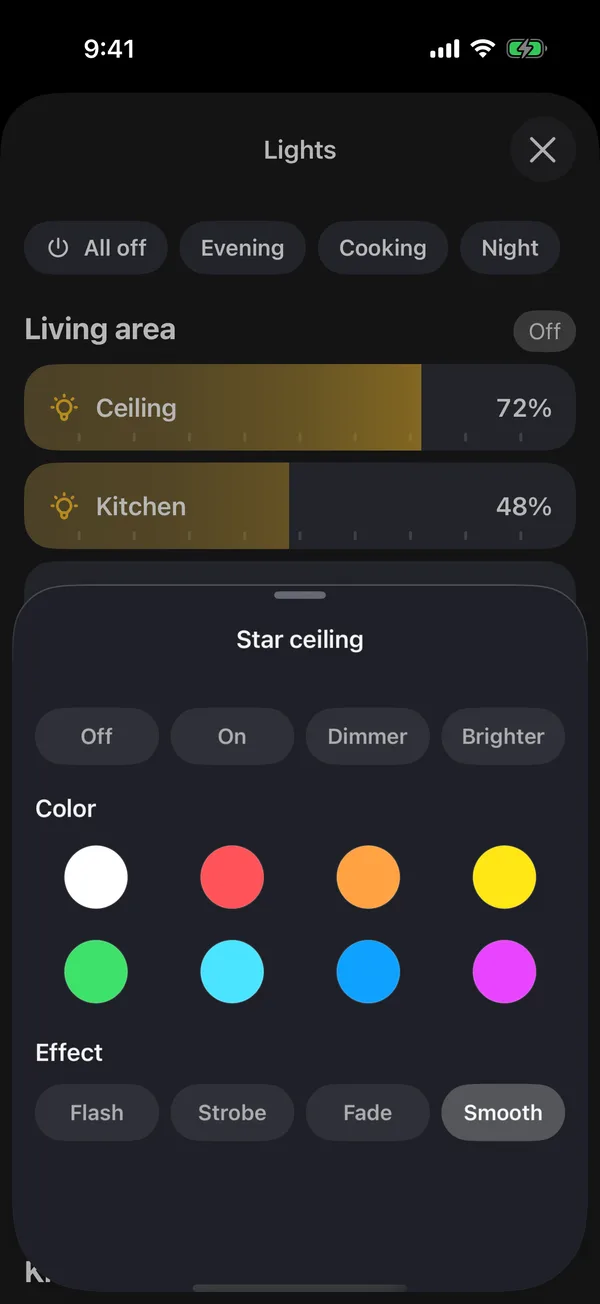
Colours, brightness and effects for the star ceiling, without leaving your seat.
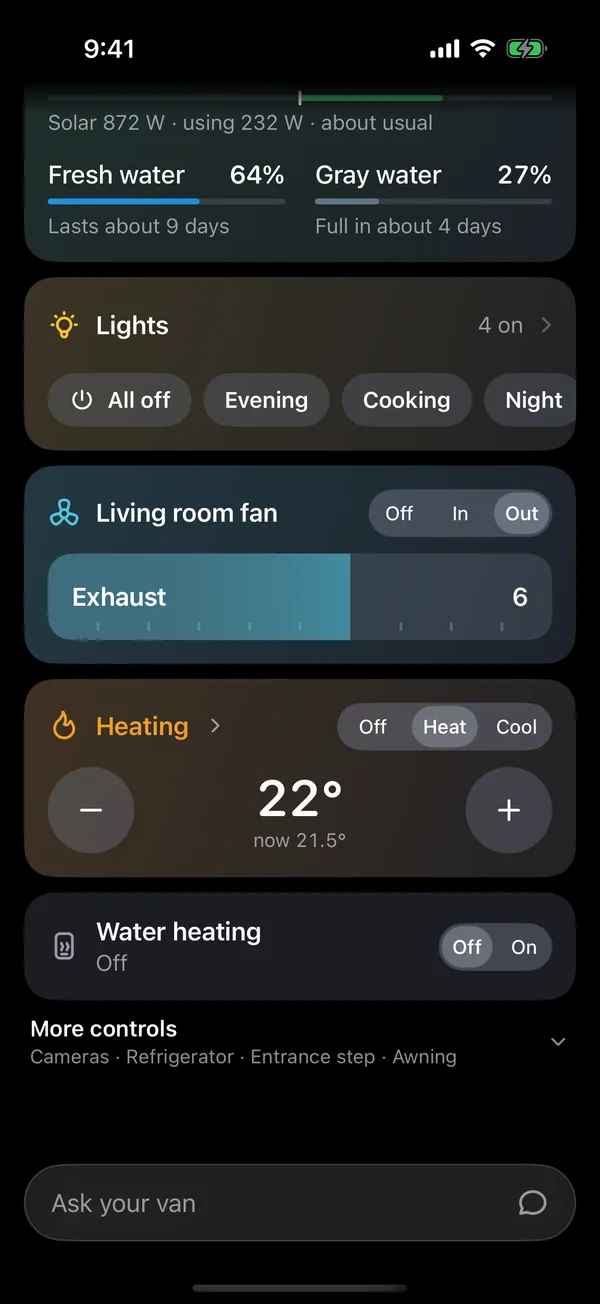
Direction and speed from the Home screen, next to the heating and the hot water.
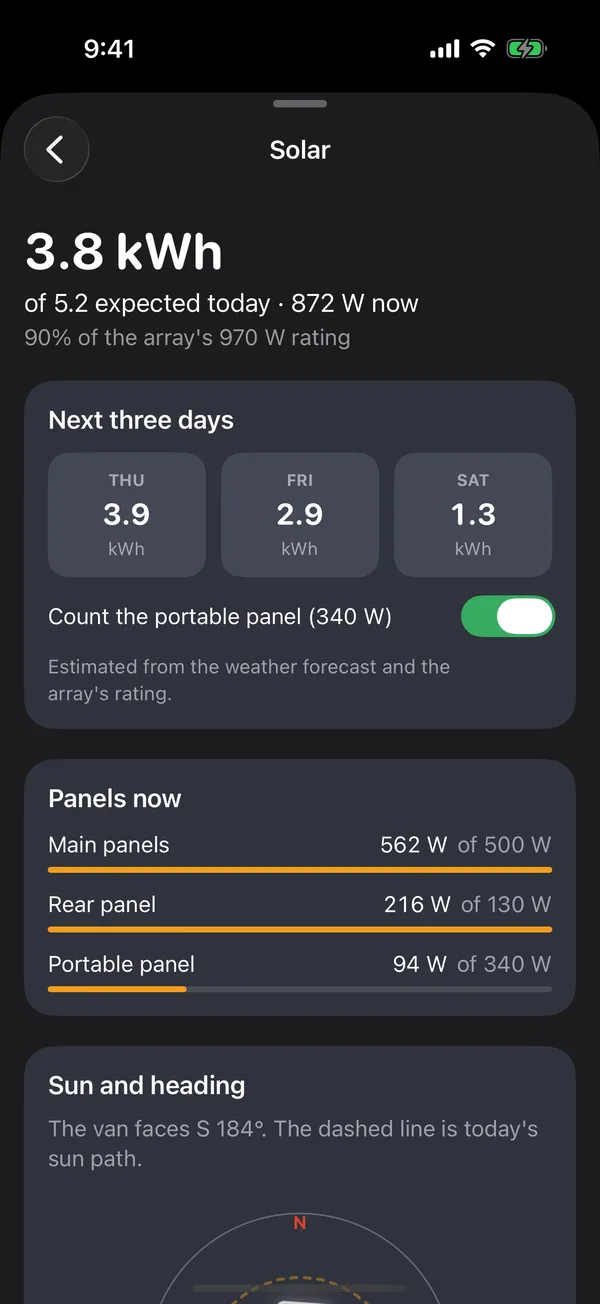
Energy so far today, each panel's output and the forecast, so you know how long you can stay.
Your builder sets the vehicle up. You make it yours from there, and can always go back.
Press and hold to move, resize or hide any card, and name every device in your own words.
“Turn on the porch light when it gets dark.” Describe it in plain words and check the rule before it's saved.
Door and window contacts and other supported Zigbee sensors, paired straight from the app. Calibrate the tanks and the level sensor yourself.
Turn the ring for the battery, the water or the heating. Pair a Dial from the app and choose the scenes it starts. Coming in 2027.
Siri, the Home app and a home-screen widget for lights, Away and heating.
They see what the vehicle is doing and what went wrong, and can often sort it out without you driving back. Only when you ask them in.
Weft ships in the EU from Q1 2027 and in the US from Q2 2027. Get early access now.
The $400 upgrade, with the 512 GB drive, at no extra cost.
Two more years of mobile service, remote access and the assistant.
Reserves your Core. Refundable until it ships, then taken off its price.
Reserve a founding Core with a $200 deposit, refundable until it ships.